Buy schleswig.info ?
We are moving the project
schleswig.info .
Are you interested in purchasing the domain
schleswig.info ?
domain@kv-gmbh.de · 0541-91531010
Buy schleswig.info ?
How loud is the vacuum cleaner in combination with the Logitech HD Pro C920?
The Logitech HD Pro C920 has a built-in dual stereo microphone that is designed to capture clear audio. When used in combination with a vacuum cleaner, the microphone may pick up some of the noise from the vacuum. The loudness of the vacuum cleaner in combination with the Logitech HD Pro C920 will depend on the distance between the vacuum and the microphone, as well as the power and noise level of the specific vacuum cleaner being used. In general, it is advisable to use the vacuum cleaner in a separate room or at a distance from the microphone to minimize any interference with the audio quality. **
What does the Logitech HD Webcam offer in terms of avatars, image effects, and more?
The Logitech HD Webcam offers a range of features for enhancing video calls and content creation. It includes the ability to create and use avatars, allowing users to personalize their appearance during video calls. Additionally, the webcam offers a variety of image effects such as filters, backgrounds, and digital masks to add fun and creativity to video content. It also provides advanced settings for adjusting brightness, contrast, and color balance to ensure high-quality video output. Overall, the Logitech HD Webcam offers a range of tools to enhance the visual experience during video calls and content creation. **


Similar search terms for Logitech-C505e-HD-Business
Top-Angebote
Products related to Logitech-C505e-HD-Business:
-
Logitech C920 HD Pro Webcam - BlackDescription The Logitech C920 HD Pro Webcam provides Full HD video calling and streaming for professionals, content creators, gamers and anyone who wants clearer online communication. It is designed for video calls, demonstrations, recordings and live gaming streams across supported devices and services. Recording in Full HD 1080p at 30 fps, this webcam uses a five-element glass lens with a 78-degree field of view and automatic HD autofocus. Automatic light correction adjusts to lighting conditions, helping produce bright, well-contrasted images even in dim settings. The webcam connects via USB and supports Windows 7, 8, 10 or later, Mac OS 10.10 or later, Android and Chrome OS. Two microphones positioned on either side of the lens capture natural stereo audio while filtering background noise. The C920 is compatible with Xbox One and works with Skype, Google Hangouts, FaceTime, OBS and XSplit. An essential addition for video calling, streaming, recording and home or professional online content.56,49 £*Shipping: 0,00 £Secure redirect to the provider
-
Logitech C925-E Business Webcam – 1080p HD, Autofocus, Light Correction, Privacy Shade, Black, Used - GoodOverview The Logitech C925-E Business Webcam delivers crisp, professional-quality video with Full HD 1080p resolution at 30fps. Designed for business users, it features advanced light correction, autofocus, and clear audio, ensuring sharp video calls and presentations. Compatible with major platforms like Skype for Business, WebEx, and Cisco, it’s ideal for seamless communication on PC, Mac, laptops, and MacBooks. Key Features Full HD 1080p video at 30fps for clear, smooth video calls Advanced light correction for bright, natural image quality in any lighting Autofocus ensures sharp images even when moving Built-in microphone delivers clear audio without extra equipment Privacy shade to cover the lens when not in use for security Compatible with Skype for Business, WebEx, Lync, Cisco, and more Easy plug-and-play USB connectivity for PC, Mac, laptops, and MacBooks Product Description Enhance your remote meetings and video conferences with the Logitech C925-E Business Webcam. Providing Full HD 1080p video at 30fps, this webcam captures sharp, vibrant images with reliable autofocus and advanced light correction, adapting to various lighting conditions. The built-in microphone ensures clear sound, reducing the need for additional audio devices. With a convenient privacy shade, you can protect your privacy when the camera is not in use. Compatible across popular business communication platforms, the Logitech C925-E is a dependable choice for professionals requiring high-quality video and audio in their daily work.49,00 £*Shipping: 0,00 £Secure redirect to the provider
-
Logitech C925-E Business Webcam – 1080p HD, Autofocus, Light Correction, Privacy Shade, PC/Mac Compatible - Black, NewElevate your video conferencing experience with the Logitech C925-E Business Webcam, engineered for professionals who demand crystal-clear video and superior sound. With Full HD 1080p resolution, smart autofocus, and automatic light correction, this webcam ensures you always look sharp and professional—even in low-light environments. It’s compatible with both PC and Mac, and designed to integrate smoothly with popular video platforms like Zoom, Microsoft Teams, and Google Meet. Whether you're working from home, hosting virtual meetings, or giving online presentations, the C925-E offers premium performance in a compact, privacy-conscious design. ✅ Full HD 1080p Resolution – Enjoy crisp, high-definition video quality for professional presentations and meetings. ✅ Autofocus Technology – Automatically adjusts to maintain sharp, clear visuals even with movement. ✅ Light Correction – Adapts to various lighting conditions to ensure you’re always seen in the best light. ✅ Built-In Stereo Microphones – Dual mics capture natural audio for clear communication without the need for an external mic. ✅ Privacy Shade Included – Physical lens cover ensures privacy when the webcam is not in use. ✅ Plug-and-Play USB Connectivity – Easy setup with no drivers needed; just connect to your PC or Mac. ✅ 78° Field of View – Balanced frame size that captures your face and upper body without distortion. ✅ Certified for Business – Optimized for video platforms like Zoom, Microsoft Teams, Skype, and Google Meet. ✅ Durable & Sleek Design – Modern black finish blends well in any office or home setup. ✅ Universal Mounting Clip – Securely attaches to laptops, monitors, or tripods for flexible setup. The Logitech C925-E Business Webcam is the ideal tool for professionals who prioritize high-quality video, reliable performance, and enhanced privacy. With its business-grade features and easy compatibility across systems and platforms, it’s built to meet the demands of today’s remote work and hybrid environments—making every meeting more productive and polished.64,99 £*Shipping: 0,00 £Secure redirect to the provider
-
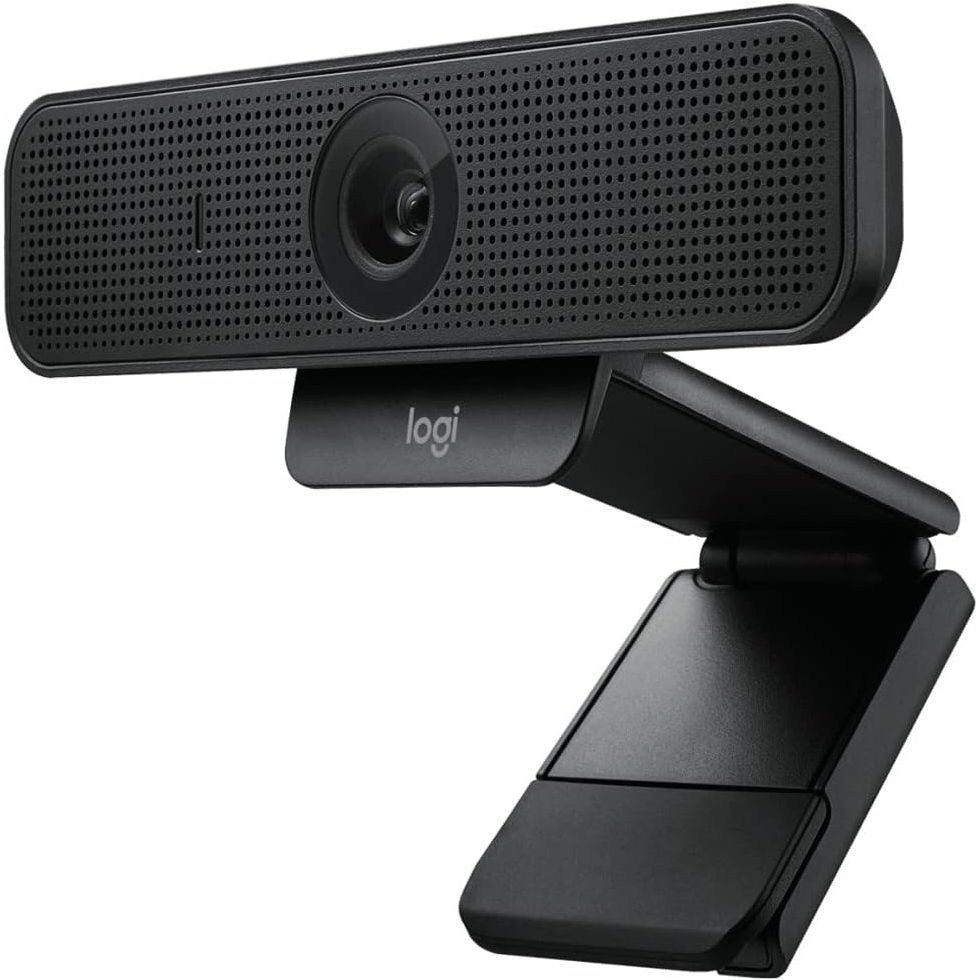
Logitech C922 Pro Stream Full HD 1080p Webcam BlackThis HD webcam is designed to deliver clear, sharp video quality for everyday video calls, online meetings, streaming, and content creation. With Full HD 1080p resolution and smooth frame rates, it ensures you always look professional and well-presented, whether you’re working from home, studying online, or connecting with friends and family. Equipped with a glass lens and autofocus technology, the camera automatically adjusts to keep your image clear and in focus, even if you move during calls. The built-in stereo microphone captures natural, balanced sound up to 1 metre away, making communication clearer and more reliable without the need for an external mic. Its wide compatibility with Windows, macOS, and ChromeOS makes it a versatile plug-and-play solution for almost any device with a USB-A port. Compact and easy to set up, this webcam is ideal for both professional and personal use.50,99 £*Shipping: 0,00 £Secure redirect to the provider


-
'HD or HD?'
HD (High Definition) is a term used to describe video and image quality that is superior to standard definition. It provides a clearer and more detailed picture with higher resolution. HD content is becoming more common and is now the standard for many devices and platforms. Overall, HD offers a better viewing experience with improved clarity and sharpness. **
-
Are business museums in Turkey, Istanbul, open on Sundays?
Business museums in Turkey, Istanbul, may have varying schedules on Sundays. It is recommended to check the specific museum's website or contact them directly to confirm their operating hours on Sundays. Some museums may be open on Sundays, while others may be closed or have limited hours. **
-
Why can't I see rbb HD, HR HD, and MDR HD?
You may not be able to see rbb HD, HR HD, and MDR HD channels because they may not be included in your current cable or satellite TV package. These channels may be part of a premium or add-on package that you have not subscribed to. You can contact your TV service provider to inquire about adding these channels to your package or explore other options for accessing them, such as through a streaming service or digital antenna. **
-
Why are rbb HD, HR HD, and MDR HD not visible?
Rbb HD, HR HD, and MDR HD are not visible because they are located in the ultraviolet region of the electromagnetic spectrum, which is not visible to the human eye. Our eyes are only sensitive to a small portion of the spectrum known as visible light, which ranges from violet to red. These high-energy wavelengths of ultraviolet light are not perceived by our eyes, but they can be detected using specialized equipment or cameras that are sensitive to ultraviolet radiation. **


What do you think of the Logitech HD Pro Webcam C910 and is it suitable for recording and streaming?
The Logitech HD Pro Webcam C910 is a solid choice for recording and streaming purposes. It offers high-definition video quality, clear audio, and smooth frame rates, making it ideal for creating professional-looking content. Its autofocus feature ensures that the image remains sharp even during movement. Overall, the C910 is a reliable option for those looking to record or stream videos with good quality. **
What can I do if my Logitech C270 HD Webcam is not recognized by my PC running Windows 10?
If your Logitech C270 HD Webcam is not being recognized by your PC running Windows 10, there are a few troubleshooting steps you can try. First, make sure the webcam is properly connected to a USB port on your computer. You can also try using a different USB port to see if that resolves the issue. Additionally, you can check for any driver updates for the webcam on the Logitech website or through the Device Manager on your computer. If none of these steps work, you may need to contact Logitech customer support for further assistance. **
Top-Angebote
Products related to Logitech-C505e-HD-Business:
-
Logitech C505e HD Business Webcam 720pLogitech C505e HD business webcam: 1280 x 720 (720p) video at 30 fps, 60-degree field of view, built-in mono microphone with noise reduction, USB-A connection with a long cable for desk or monitor mounting. Business (e) version of the C505 with Logitech Sync/RightSight support.30,49 £*Shipping: 0,00 £Secure redirect to the provider
-
Logitech Ultra HD Pro 4K Business Webcam – BlackOverview The Logitech Ultra HD Pro 4K Business Webcam is a premium professional-grade webcam designed for high-quality video conferencing, streaming, and content creation. Featuring a powerful 13MP sensor, Ultra HD 4K video, and smooth 1080p at 60fps recording, it delivers exceptional image clarity and detail. With adjustable field of view, advanced light correction, and enterprise-ready performance, it’s ideal for modern business and hybrid work environments. Key Features Ultra HD 4K video capture for exceptional clarity 13MP image sensor for sharp, detailed visuals Full HD 1080p recording at up to 60fps 5× digital zoom for precise framing Adjustable field of view to suit different setups Autofocus for consistently sharp images Advanced auto light correction for challenging lighting conditions Dual integrated microphones for clear voice capture USB plug-and-play connectivity Benefits This webcam ensures you look professional in every meeting with crisp visuals and smooth video performance. The adjustable field of view and digital zoom allow flexible framing for individual or small group use, while advanced light correction delivers consistent image quality in low or uneven lighting. Reliable, easy to set up, and optimised for business use, it’s a dependable upgrade for any professional workspace. Specifications Specification Details Brand Logitech Model Ultra HD Pro 4K Business Webcam Colour Black Image Sensor 13MP Video Resolution Up to 4K Ultra HD Frame Rate 1080p at up to 60fps Zoom 5× digital zoom Field of View Adjustable Focus Type Autofocus Microphones Dual built-in microphones Light Correction Automatic Connectivity USB EAN 5099206068100109,00 £*Shipping: 0,00 £Secure redirect to the provider
-
Logitech C920 HD Pro Webcam - BlackDescription The Logitech C920 HD Pro Webcam provides Full HD video calling and streaming for professionals, content creators, gamers and anyone who wants clearer online communication. It is designed for video calls, demonstrations, recordings and live gaming streams across supported devices and services. Recording in Full HD 1080p at 30 fps, this webcam uses a five-element glass lens with a 78-degree field of view and automatic HD autofocus. Automatic light correction adjusts to lighting conditions, helping produce bright, well-contrasted images even in dim settings. The webcam connects via USB and supports Windows 7, 8, 10 or later, Mac OS 10.10 or later, Android and Chrome OS. Two microphones positioned on either side of the lens capture natural stereo audio while filtering background noise. The C920 is compatible with Xbox One and works with Skype, Google Hangouts, FaceTime, OBS and XSplit. An essential addition for video calling, streaming, recording and home or professional online content.56,49 £*Shipping: 0,00 £Secure redirect to the provider
-
Logitech C925-E Business Webcam – 1080p HD, Autofocus, Light Correction, Privacy Shade, Black, Used - GoodOverview The Logitech C925-E Business Webcam delivers crisp, professional-quality video with Full HD 1080p resolution at 30fps. Designed for business users, it features advanced light correction, autofocus, and clear audio, ensuring sharp video calls and presentations. Compatible with major platforms like Skype for Business, WebEx, and Cisco, it’s ideal for seamless communication on PC, Mac, laptops, and MacBooks. Key Features Full HD 1080p video at 30fps for clear, smooth video calls Advanced light correction for bright, natural image quality in any lighting Autofocus ensures sharp images even when moving Built-in microphone delivers clear audio without extra equipment Privacy shade to cover the lens when not in use for security Compatible with Skype for Business, WebEx, Lync, Cisco, and more Easy plug-and-play USB connectivity for PC, Mac, laptops, and MacBooks Product Description Enhance your remote meetings and video conferences with the Logitech C925-E Business Webcam. Providing Full HD 1080p video at 30fps, this webcam captures sharp, vibrant images with reliable autofocus and advanced light correction, adapting to various lighting conditions. The built-in microphone ensures clear sound, reducing the need for additional audio devices. With a convenient privacy shade, you can protect your privacy when the camera is not in use. Compatible across popular business communication platforms, the Logitech C925-E is a dependable choice for professionals requiring high-quality video and audio in their daily work.49,00 £*Shipping: 0,00 £Secure redirect to the provider
-
How loud is the vacuum cleaner in combination with the Logitech HD Pro C920?
The Logitech HD Pro C920 has a built-in dual stereo microphone that is designed to capture clear audio. When used in combination with a vacuum cleaner, the microphone may pick up some of the noise from the vacuum. The loudness of the vacuum cleaner in combination with the Logitech HD Pro C920 will depend on the distance between the vacuum and the microphone, as well as the power and noise level of the specific vacuum cleaner being used. In general, it is advisable to use the vacuum cleaner in a separate room or at a distance from the microphone to minimize any interference with the audio quality. **
-
What does the Logitech HD Webcam offer in terms of avatars, image effects, and more?
The Logitech HD Webcam offers a range of features for enhancing video calls and content creation. It includes the ability to create and use avatars, allowing users to personalize their appearance during video calls. Additionally, the webcam offers a variety of image effects such as filters, backgrounds, and digital masks to add fun and creativity to video content. It also provides advanced settings for adjusting brightness, contrast, and color balance to ensure high-quality video output. Overall, the Logitech HD Webcam offers a range of tools to enhance the visual experience during video calls and content creation. **
-
'HD or HD?'
HD (High Definition) is a term used to describe video and image quality that is superior to standard definition. It provides a clearer and more detailed picture with higher resolution. HD content is becoming more common and is now the standard for many devices and platforms. Overall, HD offers a better viewing experience with improved clarity and sharpness. **
-
Are business museums in Turkey, Istanbul, open on Sundays?
Business museums in Turkey, Istanbul, may have varying schedules on Sundays. It is recommended to check the specific museum's website or contact them directly to confirm their operating hours on Sundays. Some museums may be open on Sundays, while others may be closed or have limited hours. **
Similar search terms for Logitech-C505e-HD-Business
-
Logitech C925-E Business Webcam – 1080p HD, Autofocus, Light Correction, Privacy Shade, PC/Mac Compatible - Black, NewElevate your video conferencing experience with the Logitech C925-E Business Webcam, engineered for professionals who demand crystal-clear video and superior sound. With Full HD 1080p resolution, smart autofocus, and automatic light correction, this webcam ensures you always look sharp and professional—even in low-light environments. It’s compatible with both PC and Mac, and designed to integrate smoothly with popular video platforms like Zoom, Microsoft Teams, and Google Meet. Whether you're working from home, hosting virtual meetings, or giving online presentations, the C925-E offers premium performance in a compact, privacy-conscious design. ✅ Full HD 1080p Resolution – Enjoy crisp, high-definition video quality for professional presentations and meetings. ✅ Autofocus Technology – Automatically adjusts to maintain sharp, clear visuals even with movement. ✅ Light Correction – Adapts to various lighting conditions to ensure you’re always seen in the best light. ✅ Built-In Stereo Microphones – Dual mics capture natural audio for clear communication without the need for an external mic. ✅ Privacy Shade Included – Physical lens cover ensures privacy when the webcam is not in use. ✅ Plug-and-Play USB Connectivity – Easy setup with no drivers needed; just connect to your PC or Mac. ✅ 78° Field of View – Balanced frame size that captures your face and upper body without distortion. ✅ Certified for Business – Optimized for video platforms like Zoom, Microsoft Teams, Skype, and Google Meet. ✅ Durable & Sleek Design – Modern black finish blends well in any office or home setup. ✅ Universal Mounting Clip – Securely attaches to laptops, monitors, or tripods for flexible setup. The Logitech C925-E Business Webcam is the ideal tool for professionals who prioritize high-quality video, reliable performance, and enhanced privacy. With its business-grade features and easy compatibility across systems and platforms, it’s built to meet the demands of today’s remote work and hybrid environments—making every meeting more productive and polished.64,99 £*Shipping: 0,00 £Secure redirect to the provider
-
Logitech C922 Pro Stream Full HD 1080p Webcam BlackThis HD webcam is designed to deliver clear, sharp video quality for everyday video calls, online meetings, streaming, and content creation. With Full HD 1080p resolution and smooth frame rates, it ensures you always look professional and well-presented, whether you’re working from home, studying online, or connecting with friends and family. Equipped with a glass lens and autofocus technology, the camera automatically adjusts to keep your image clear and in focus, even if you move during calls. The built-in stereo microphone captures natural, balanced sound up to 1 metre away, making communication clearer and more reliable without the need for an external mic. Its wide compatibility with Windows, macOS, and ChromeOS makes it a versatile plug-and-play solution for almost any device with a USB-A port. Compact and easy to set up, this webcam is ideal for both professional and personal use.50,99 £*Shipping: 0,00 £Secure redirect to the provider
-
Logitech Brio 4K Webcam for Business – Graphite, NewOverview The Logitech Brio 4K Webcam for Business is a premium ultra-HD webcam designed for professional video conferencing, secure authentication, and high-quality content creation. Delivering stunning 4K Ultra HD video, advanced auto-light correction, and dual noise-cancelling microphones, it ensures you look and sound your best in any working environment. With Windows Hello facial recognition support and enterprise-grade performance, it is ideal for modern hybrid and office-based professionals. Key Features Ultra HD 4K resolution for exceptional image clarity Windows Hello facial recognition for secure, password-free sign-in RightLight™ 3 with HDR for automatic light correction Dual noise-cancelling microphones for clear voice capture Adjustable field of view (65°, 78°, 90°) for flexible framing Autofocus and high frame rates for smooth, professional video USB plug-and-play compatibility Certified for Microsoft Teams, Zoom, and other conferencing platforms Sleek Graphite finish with premium build quality Benefits The Logitech Brio 4K Webcam for Business enhances professionalism in every meeting by delivering crystal-clear video and audio, even in challenging lighting conditions. Windows Hello integration improves security and convenience, while flexible field-of-view options make it suitable for both individual use and small meeting spaces. Its reliable performance and broad software compatibility make it a trusted choice for business environments. Specifications Specification Details Brand Logitech Model Brio 4K Webcam for Business Colour Graphite Video Resolution Up to 4K Ultra HD Frame Rate Up to 90 fps (lower resolutions) Field of View 65°, 78°, 90° Focus Type Autofocus Microphones Dual noise-cancelling microphones Light Correction RightLight™ 3 with HDR Security Windows Hello facial recognition Connectivity USB Compatibility Windows, macOS Certification Microsoft Teams, Zoom, Google Meet EAN 509920612996285,00 £*Shipping: 0,00 £Secure redirect to the provider
-
Logitech Signature M650 for Business Wireless Mouse - Large - GraphiteWork comfortably and efficiently with the Logitech Signature M650 L for Business full-size wireless mouse in Graphite. Designed for large hands, this ergonomic wireless mouse delivers all-day comfort, precise tracking and quiet performance for home, office and hybrid working. SilentTouch technology greatly reduces click noise while keeping a satisfying click feel. Customisable side buttons give quick access to your favourite shortcuts. It connects via Bluetooth or the included Logi Bolt USB receiver, so you can use it with a wide range of compatible devices. The optical sensor (400–4000 dpi) provides smooth, accurate cursor control on a wide range of surfaces, and a single AA battery lasts up to 24 months. The contoured full-size design with soft rubber side grips keeps it comfortable during extended use.19,49 £*Shipping: 0,00 £Secure redirect to the provider
-
Why can't I see rbb HD, HR HD, and MDR HD?
You may not be able to see rbb HD, HR HD, and MDR HD channels because they may not be included in your current cable or satellite TV package. These channels may be part of a premium or add-on package that you have not subscribed to. You can contact your TV service provider to inquire about adding these channels to your package or explore other options for accessing them, such as through a streaming service or digital antenna. **
-
Why are rbb HD, HR HD, and MDR HD not visible?
Rbb HD, HR HD, and MDR HD are not visible because they are located in the ultraviolet region of the electromagnetic spectrum, which is not visible to the human eye. Our eyes are only sensitive to a small portion of the spectrum known as visible light, which ranges from violet to red. These high-energy wavelengths of ultraviolet light are not perceived by our eyes, but they can be detected using specialized equipment or cameras that are sensitive to ultraviolet radiation. **
-
What do you think of the Logitech HD Pro Webcam C910 and is it suitable for recording and streaming?
The Logitech HD Pro Webcam C910 is a solid choice for recording and streaming purposes. It offers high-definition video quality, clear audio, and smooth frame rates, making it ideal for creating professional-looking content. Its autofocus feature ensures that the image remains sharp even during movement. Overall, the C910 is a reliable option for those looking to record or stream videos with good quality. **
-
What can I do if my Logitech C270 HD Webcam is not recognized by my PC running Windows 10?
If your Logitech C270 HD Webcam is not being recognized by your PC running Windows 10, there are a few troubleshooting steps you can try. First, make sure the webcam is properly connected to a USB port on your computer. You can also try using a different USB port to see if that resolves the issue. Additionally, you can check for any driver updates for the webcam on the Logitech website or through the Device Manager on your computer. If none of these steps work, you may need to contact Logitech customer support for further assistance. **
* All prices are inclusive of VAT and, if applicable, plus shipping costs. The offer information is based on the details provided by the respective shop and is updated through automated processes. Real-time updates do not occur, so deviations can occur in individual cases. ** Note: Parts of this content were created by AI.